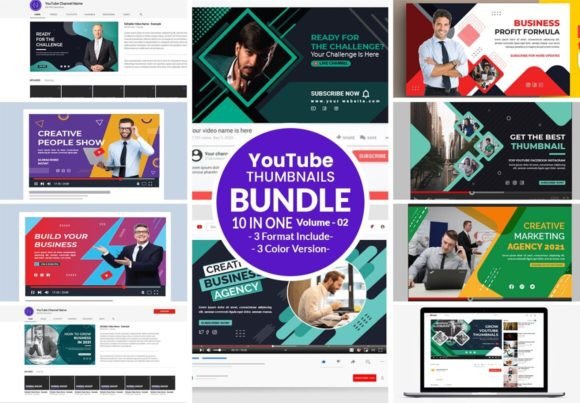
YouTube Social Banner Bundle: Elevate Your Channel's Visual Identity
That banner at the top of your YouTube channel is prime real estate. It's the first impression, the visual handshake, the billboard that tells visitors who you are and what they can expect. Getting it right matters, and that's where a resource like the YouTube Social Banner Bundle comes in. It’s not just a template; it's a toolkit designed to solve a common problem for creators and businesses: how to look professional, consistent, and compelling across all your digital platforms without spending hours on design.
More Than Just a Pretty Picture: Understanding the Bundle
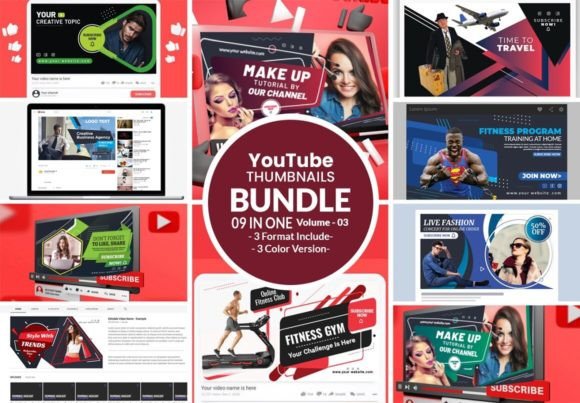
At its core, the YouTube Social Banner Bundle is a collection of pre-designed, fully editable graphic files. Think of it as a starter kit for your brand's visual presence. The files are built to exact specifications—2560x1440 pixels—the standard size for YouTube channel art, ensuring your banner looks sharp on every device, from a widescreen monitor to a mobile phone. The CMYK color mode and 300 DPI resolution are critical details often overlooked. While CMYK is traditionally for print, it ensures color consistency if you ever need to repurpose your banner design for print materials like business cards or flyers. The high resolution guarantees crisp lines and clean text, even when viewed closely.
The real value lies in the file formats provided: Illustrator AI, EPS, and PDF. This is what separates a static image from a flexible design asset. These are vector-based formats, meaning every element—text, shapes, lines—can be scaled infinitely without losing quality. You can change colors to match your brand palette, swap out placeholder text for your channel name, or rearrange layouts entirely. The bundle often includes font information and links to free, high-quality typefaces, typically from sources like Google Fonts, which removes a major hurdle for creators who aren't sure how to source commercial-safe typography.
Strategic Applications for Creators and Brands
This bundle's strength is its versatility. It’s a practical solution for a wide range of users. A small business owner launching a YouTube channel for product tutorials can use it to create a banner that aligns perfectly with their website and social media graphics, reinforcing brand identity from the first click. A podcaster can adapt the templates to promote new episodes visually. Bloggers and publishers can use the consistent style to create a cohesive look across YouTube, Pinterest, and blog headers, which is a cornerstone of effective editorial design in the digital space.
For marketers and entrepreneurs, the bundle is a time-saver that doesn't sacrifice professionalism. Instead of commissioning a custom design for every new campaign or product launch, you can use the editable templates to quickly produce on-brand banners. This is especially useful for social media graphics where visual consistency across platforms (YouTube, Facebook, Twitter/X) builds recognition. The ability to tweak the templates means you can create seasonal promotions, special announcements, or series-specific art that still feels part of your core brand, enhancing audience engagement through visual familiarity.
Design Principles in Action: Making the Bundle Work for You
Simply downloading the bundle isn't enough. To get the most out of it, you need to apply some basic design thinking. The templates provide a structure, but your brand's personality must come through. Start by evaluating the visual hierarchy in the designs. Where does the eye go first? Is it your channel name? A tagline? A key image? Use the editable files to adjust font sizes, weights, and placements to guide the viewer's attention exactly where you want it.
Font pairing is another area where the bundle gives you a head start. The included fonts are often curated to work well together—a bold sans serif font for headlines paired with a clean, readable serif or sans serif for body text. However, don't be afraid to test your own combinations if you have a specific brand font. The key is to maintain readability. A beautiful script font might look elegant, but if it's too ornate for a channel name that needs to be read quickly at a small size on a phone screen, it fails its primary job. The bundle's professional setup gives you the framework to make these informed choices.
Practical Guidance for Selection and Use
When choosing a banner bundle, look beyond the initial preview. Scrutinize the layouts. Do they have options for channels that are text-heavy versus image-focused? Are there designs that accommodate a logo placement without looking cluttered? The best bundles offer variety in style—some modern typography-driven, some more photographic, some minimalist.
Once you have the files, the process is straightforward but requires attention. Open the AI or EPS file in a compatible program like Adobe Illustrator. Locate the text layers and change the placeholder copy. Use the provided color swatches or input your own brand hex codes. If the design uses placeholder images, swap them with your own high-quality photos or graphics. Before finalizing, always preview the banner at the actual YouTube size and on multiple devices. Check the "safe area"—the center portion of the banner that is visible on all devices—and ensure your most important information is there.
Finally, remember that this is a design asset, a tool to build your brand identity efficiently. It empowers you to maintain a professional, consistent, and engaging presence on YouTube and beyond. By leveraging the editable nature of the files and applying thoughtful customization, you transform a template into a unique piece of your brand's story, one that resonates with your audience and sets the stage for the content you create.